Storyboard a spoken video before arranging shots
Turn a spoken script into a practical storyboard with one job per panel, clear action states and a paper rehearsal before you build the filming setup.
 EasyLines team6 min read
AI-generated editorial illustration.
On this page 8 sections
- 1. What question should the storyboard answer?
- 2. How should you divide the script into panels?
- 3. Which details belong on each panel?
- 4. What does a six-panel example look like?
- 5. How can you rehearse a paper storyboard?
- 6. How is this different from choosing B-roll?
- 7. What should the filming handoff contain?
- 8. Frequently asked questions
To storyboard a spoken video, divide the script into meaningful beats and sketch what the viewer needs to see for each one. Give every panel a spoken passage, a visual purpose and a clear starting and ending state. Rehearse the panel sequence before arranging equipment so missing views and impossible handoffs are found while changes are still easy.
What question should the storyboard answer?
Use the storyboard to answer whether the planned sequence can explain the idea on screen. It is not primarily a drawing contest or a list of attractive angles. A rough rectangle with a labeled hand and object can reveal a missing action more quickly than a polished image that says nothing about the spoken passage. Choose the level of detail that helps you make the next production decision.
Start with a spoken script whose purpose is clear. The short-script pillar helps establish that foundation. If the script contains several unrelated questions, resolve the structure before making a panel for every sentence. Otherwise the storyboard can become an elaborate picture of an unfocused explanation. Keep the viewer’s task at the top of the page so each proposed view has a reason to exist.
How should you divide the script into panels?
Create a new panel when the viewer needs a different useful view or a significant action changes the scene. Several sentences may share one panel, while a short phrase may require a detail view of a mechanism. Do not use sentence count as an automatic shot count. The picture should follow the explanation rather than the punctuation.
Adobe’s storyboarding introduction, checked 10 Nov 2026, describes planning visual sequences before production. For this spoken-video exercise, write the relevant words beneath each rough frame and state the image’s job beside them. Use plain descriptions such as “show which tray is active” or “reveal the latch opening.” If the job is only “look interesting,” ask whether the panel can be removed without losing information.
Which details belong on each panel?
Record the spoken passage, the important visible elements and the action’s start and finish. Include a note about whether the voice and action happen together or need separate time. A viewer cannot inspect a label that disappears the instant it is named. The panel should make that timing need visible before you record a beautiful but unusably brief shot.
Use simple labels for recurring objects so the same item does not quietly change identity between panels. If the folder begins closed in one view, note whether opening it happens before the next view. Keep camera notes only as detailed as needed: wide context, close detail or another useful relationship. Technical decoration can hide a missing explanation. The narration and demonstration guide helps check the actual relationship between speech and action.
What does a six-panel example look like?
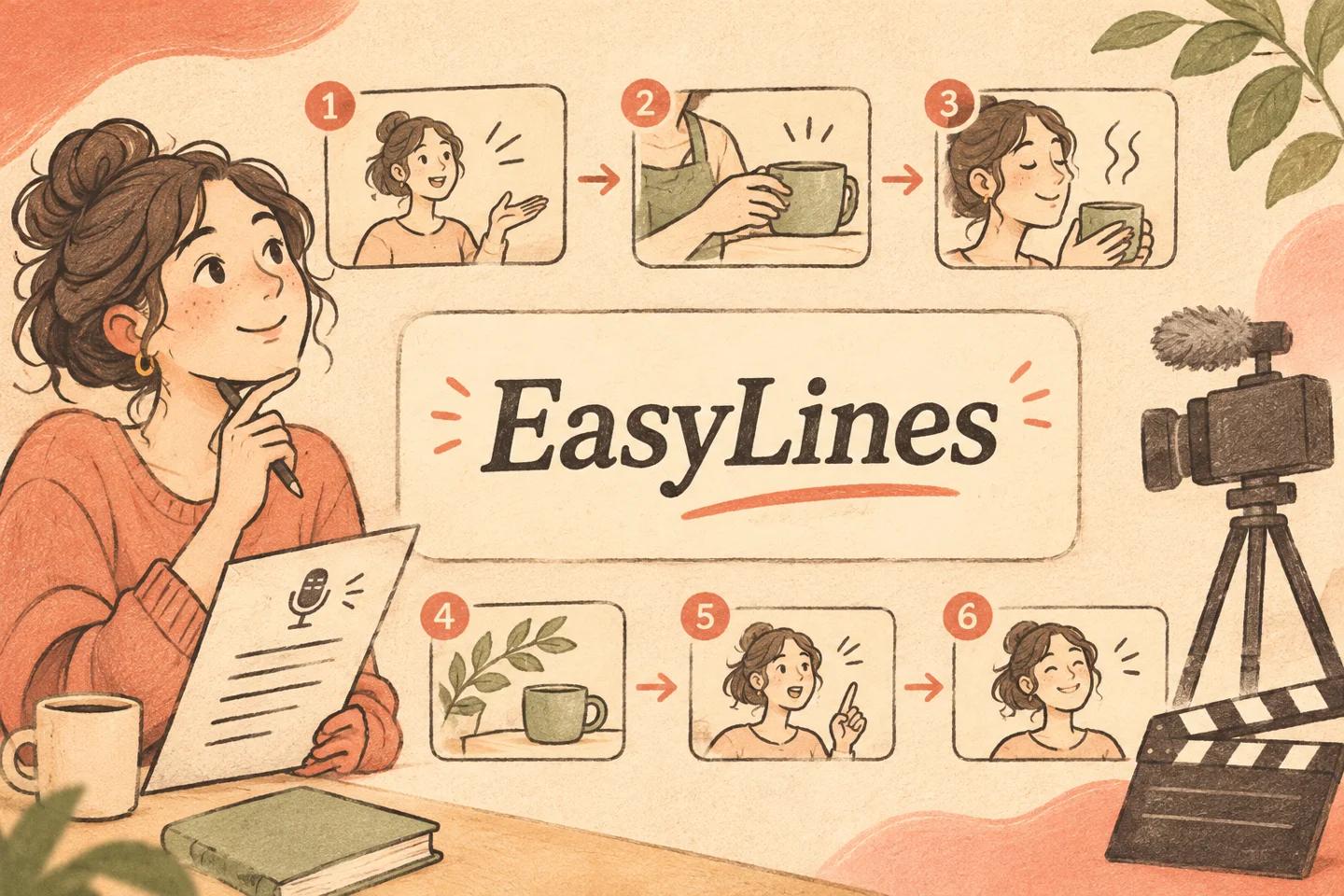
Imagine a fictional video about separating an active notebook from reference notebooks. Panel one shows the full group while the voice names the task. Panel two identifies today’s notebook. Panel three shows it moving beside a bag. Panel four shows the reference group staying on the shelf. Panel five returns to the two destinations together. Panel six holds a simple final view while the voice gives the next action.
This is an original planning example, not a tested shot sequence. Each panel has a different explanatory job, and some could be combined if one stable view shows the relationship clearly. The board does not require six separate camera setups. It records what the viewer must understand in order. After that route works, you can plan the efficient filming order without confusing production convenience with the final story sequence.
How can you rehearse a paper storyboard?
Read the script aloud while pointing to each panel at the moment it should appear. Pause where the viewer needs to inspect an action or detail. If you run out of words before the required movement finishes, mark the extra visual time. If several panels cannot be understood without an explanation missing from the narration, revise the words or the pictures before filming.
Use the actual object for a second rehearsal when possible. Walk through its start and finish states without operating the camera. A hand cannot point to a detail while holding two unrelated props unless the plan allows for it. This practical check is the storyboard’s original contribution: it exposes the physical sequence, not only the appearance of individual shots. Keep any invented timing estimates labeled as estimates until you rehearse the complete action.
How is this different from choosing B-roll?
A storyboard plans the visual route before the footage exists. Choosing B-roll evaluates which existing or proposed shot fits a spoken thought. The two tasks meet when you discover that the board requires a view you already have. Inspect that footage rather than assuming its subject matter means it fulfills the panel’s job.
Use the B-roll matching guide for that acceptance decision. A notebook close-up may match the noun but fail to show the two destinations the storyboard requires. Conversely, a continuous wide shot may satisfy several panels without additional footage. Update the board when a clearer visual solution appears. It is a working explanation plan, not a contract to film every original sketch regardless of what the footage actually communicates.
What should the filming handoff contain?
Give the person recording a numbered sequence, the matching script version and any essential action-state notes. Identify which views are indispensable and which are optional alternatives. Keep the final viewing order separate from the filming order if you group shots by setup. A collaborator should be able to tell why a view exists and what would be lost if it were skipped.
Finish by checking that every important spoken claim has an appropriate visual or can stand clearly on its own. Remove panels that add work without helping the explanation, and name any missing pickup before the equipment is packed. The storyboard is ready when the route is understandable, physically possible and complete enough to record. Its value comes from decisions it resolves, not the number of boxes or the quality of the drawing.
EasyLines is preparing to launch. It focuses on reading a script and recording your delivery, with adjustable text and pace. Finishing work belongs in your chosen editor. If that upcoming workflow fits your needs, join the EasyLines waitlist; availability will be confirmed at launch.
Frequently asked questions
Do I need drawing skills?
No. Simple shapes and clear labels are enough when they explain the view, action and relevant words.
Should every sentence have its own shot?
No. Create panels around visual needs and meaningful changes rather than sentence count.
Can one continuous shot satisfy several panels?
Yes. The board describes the explanation sequence, not a mandatory number of camera setups.
When should I revise the board?
Revise it when rehearsal or actual footage reveals a clearer route, missing action or unnecessary view.
Sources and further checks
Coming to iPhone and iPad
Put your next script on EasyLines.
A little help with the words. More room to be yourself. Join the waitlist and we’ll email you at launch.