Check clothing patterns before recording video
Compare patterned and plain clothing in saved samples to investigate shimmering checks, preserve clear framing, and avoid guessing at a camera fault.
 EasyLines team7 min read
AI-generated editorial illustration.
On this page 8 sections
- 1. Locate the change before naming its cause
- 2. Understand what moiré describes
- 3. Prepare a garment comparison with one change
- 4. Inspect the pair for the task you must record
- 5. Use a hypothetical log with an unresolved branch
- 6. Choose a repair that preserves the required shot
- 7. Verify the chosen arrangement through the full action
- 8. Frequently asked questions
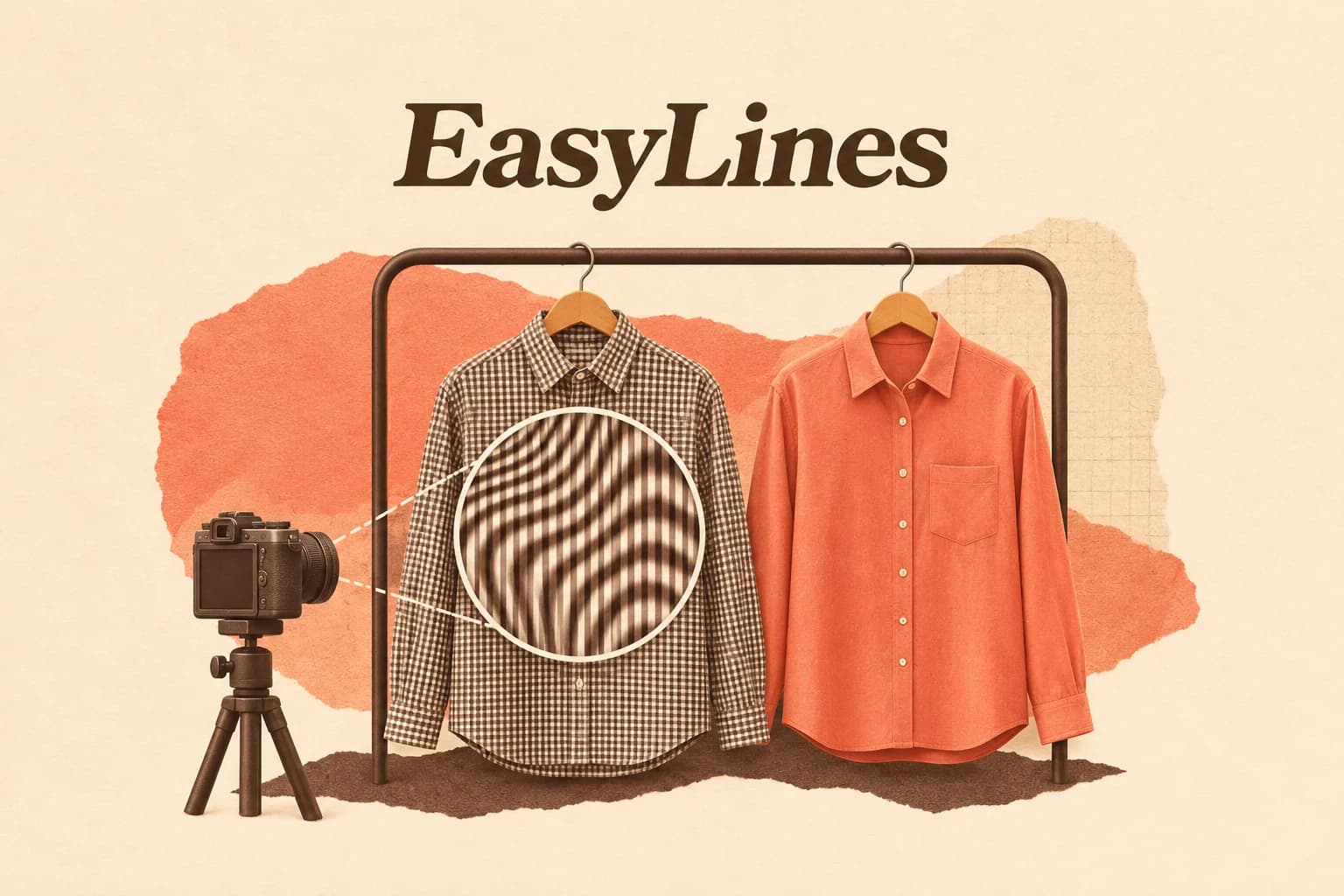
If checks or stripes appear to shimmer in your talking-head video, compare the patterned garment with a plain alternative in the same recording setup. Inspect the saved samples before deciding that the camera or light is faulty. A change confined to the fabric needs a different investigation from brightness bands across the whole room. The comparison below helps you choose a usable wardrobe and identify what remains unresolved.
Locate the change before naming its cause
Play the saved recording and describe where the unwanted pattern appears. Is it confined to a checked shirt, also visible on a woven cushion, or spread across the background? Note whether the face and an ordinary plain object remain clear. Use a sentence such as “a wavy patch appears over the jacket checks when I turn” rather than beginning with a diagnosis. Keep a short reference showing the exact moment.
Now inspect a still moment and an ordinary movement. A changing patch within a fine textile is a different observation from the whole wall brightening repeatedly. Both can exist in one clip. Do not change the lamps, garment, camera distance and recording mode together before you have identified the area you are investigating. Your first task is to make one comparison interpretable.
Understand what moiré describes
The University of Iowa’s recording guidance specifically warns educators that some fabric patterns can produce a moiré effect on video, including fine checks and stripes. That is a useful reason to inspect a planned garment. It does not establish that every striped shirt will fail or that a plain shirt solves every picture problem.
Nikon’s explanation describes an extra pattern arising from interaction between a patterned subject and image sampling. Fine regular textiles are susceptible, and false colour can appear that is absent from the object. Its detailed camera prescriptions concern particular historical photographic equipment. This guide uses the general explanation, without carrying those controls or filter specifications into a phone recorder.
Prepare a garment comparison with one change
Set the camera in the position required for your actual explanation. Keep the same lens, app, recording mode, framing and ordinary light arrangement. Begin with the patterned garment. Say a short passage, turn as you normally would and make the gesture used in the real video. Save that sample with a recognizable identifier. The shirt needs to occupy the same part of the frame as it will during the final take.
Change to a plain alternative while keeping the setup steady. Restore any microphone placement disturbed by the change and check that it remains usable. Repeat the same passage and movement. This is a proposed wardrobe experiment, not a claim about tests performed here. If the room light changes substantially between samples, record that condition and avoid attributing the entire difference to clothing. A comparison needs its limits as well as its identifiers.
Inspect the pair for the task you must record
Open both saved files independently of the live preview. First compare the fabric region where you saw the disturbance. Then compare the face, hands and any demonstration object. A candidate that removes the distracting texture but makes the required action difficult to see is not ready. Use your intended viewing size as the practical acceptance context, and inspect closer when you need to understand the artifact itself.
Write the observation before the decision: “wavy patch visible on checks; plain-shirt sample has no corresponding patch” supports considering the plain alternative in this setup. It does not prove which internal camera process caused every mark. If the same disturbance remains across a plain wall, keep that result separate. You may be investigating lighting, capture or presentation as well as fabric. Preserve the original sample so those distinctions remain available.
Use a hypothetical log with an unresolved branch
Imagine a creator preparing a seated explanation of a small mechanical puzzle. The opening, hand movement and puzzle position are fixed for the comparison. The following records are invented possibilities, not results from a filming session. They show how a note can connect the observed difference to a limited next decision rather than declaring the whole camera repaired.
In the first pair, the plain garment is a useful candidate because the change is concentrated where the checks were. In the second pair, a wall disturbance survives the clothing change, so the wardrobe comparison has not resolved that part. Do not record a successful conclusion merely because you followed the procedure. An unchanged result is information about what to investigate next.
Hypothetical sample log: A: checked shirt, normal turn — wavy patch over chest; face and puzzle clear. B: plain shirt, same turn — no corresponding chest patch; face and puzzle clear. Decision for A/B: use B as the wardrobe candidate, then review the complete demonstration. C: checked shirt — broad brightness bands also cross the wall. D: plain shirt — wall bands remain. Decision for C/D: garment change does not resolve the wall symptom; preserve both samples and investigate that symptom separately.
Choose a repair that preserves the required shot
When a plain alternative works and suits the assignment, it can be the simplest production choice. If the patterned item must appear, identify why: perhaps it is the product being demonstrated. You cannot solve that assignment simply by hiding the subject. Compare a different workable composition or record a dedicated detail view, then inspect the actual required pattern again. Treat each arrangement as a candidate rather than a guaranteed cure.
Avoid making the whole picture deliberately unclear just to conceal an artifact. The face, labels or mechanism may carry the explanation. Use the focus and exposure diagnostic if the remaining problem concerns soft detail or changing brightness. The talking-head setup guide helps restore framing after a meaningful position change. Keep the original communication task above the desire for one visually quiet patch.
Verify the chosen arrangement through the full action
Record the opening and the most representative demonstration in the selected arrangement. Include the normal turn, reach and final hold. Inspect the saved file for the original disturbance and for anything changed by the repair, including clothing noise around a microphone. Keep a concise note of garment, app and mode, camera position, relevant light and the specific sample reviewed. That makes the decision repeatable without promising that it will hold under different conditions.
If the issue remains unresolved, keep the affected region and recording conditions with a short support sample. Report the observation without asserting a hardware defect. EasyLines is preparing to launch as a teleprompter and recorder. Join the waitlist for launch updates if prepared lines suit your delivery. This workflow chooses and checks the source recording; it assumes no automatic pattern-removal or repair feature.
Frequently asked questions
Does every striped shirt cause moiré?
No. Inspect the actual garment in the actual saved recording. Fine patterns are a reason to check, not proof that every striped item fails.
How is this different from light flicker?
Begin with the affected region. A fabric-specific patch and brightness bands across a plain background are different observations. Compare them separately rather than assuming one cause.
Should I buy a different camera?
First make an interpretable garment and setup comparison. A distracting saved pattern alone does not establish a hardware fault or a need to buy equipment.
What if the patterned garment is the product?
Keep the required subject visible and compare another workable composition or detail view. Inspect the pattern again rather than hiding what the video must show.
What is the acceptance check?
Review the full required action in the selected saved recording. The pattern, face and important demonstration details should remain usable for the intended viewing context.
Sources and further checks
Coming to iPhone and iPad
Put your next script on EasyLines.
A little help with the words. More room to be yourself. Join the waitlist and we’ll email you at launch.